
Clear responsibilities
Assign tasks, set up approvals and make it clear who handles each part of the work.

Manage your sales, stock, expenses, customers and staff with 390 Work. Keep your team’s work organised and see how your business is running.











When a sale moves from sales staff to delivery and accounts, each team needs the right details. Give them clear responsibilities and records they can work from.

Assign tasks, set up approvals and make it clear who handles each part of the work.
Keep the details behind each transaction so questions can be checked against a record.
Start with the areas you need to manage today. Add more staff and bring other departments into 390 as you need them.
Manage your business operations.
Run sales, stock, expenses and staff work in one system. Set it up yourself, or choose Guided for setup, team training and quarterly reviews.
See what 390 Work can do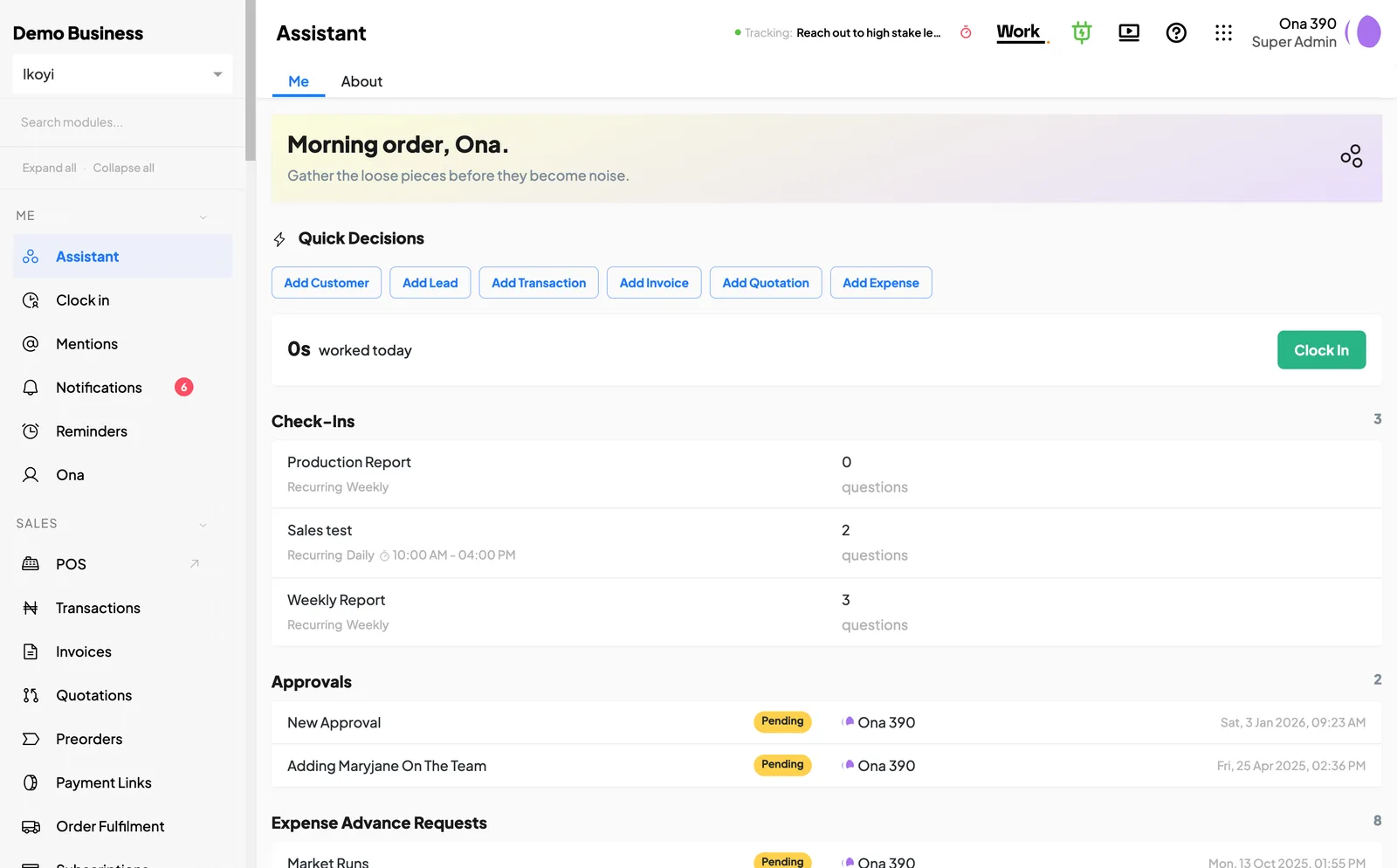
Let customers order and book online.
Give customers a page to browse, pay and contact your business. Your team handles orders and bookings in 390 Work. HUB is included with your Work subscription.
See how 390 HUB works
Extend 390 Work for your organisation.
Work with us to build specialised workflows, integrations and applications on 390 Work.
Find out about 390 LabsGet help structuring your operations.
Define clear roles, procedures and approvals. Put them into practice on 390, with staff training and monthly operations reviews.
See how Advisory worksWhen information comes by email, WhatsApp or a spreadsheet, record it in 390 and keep the related details together for the people handling the work.
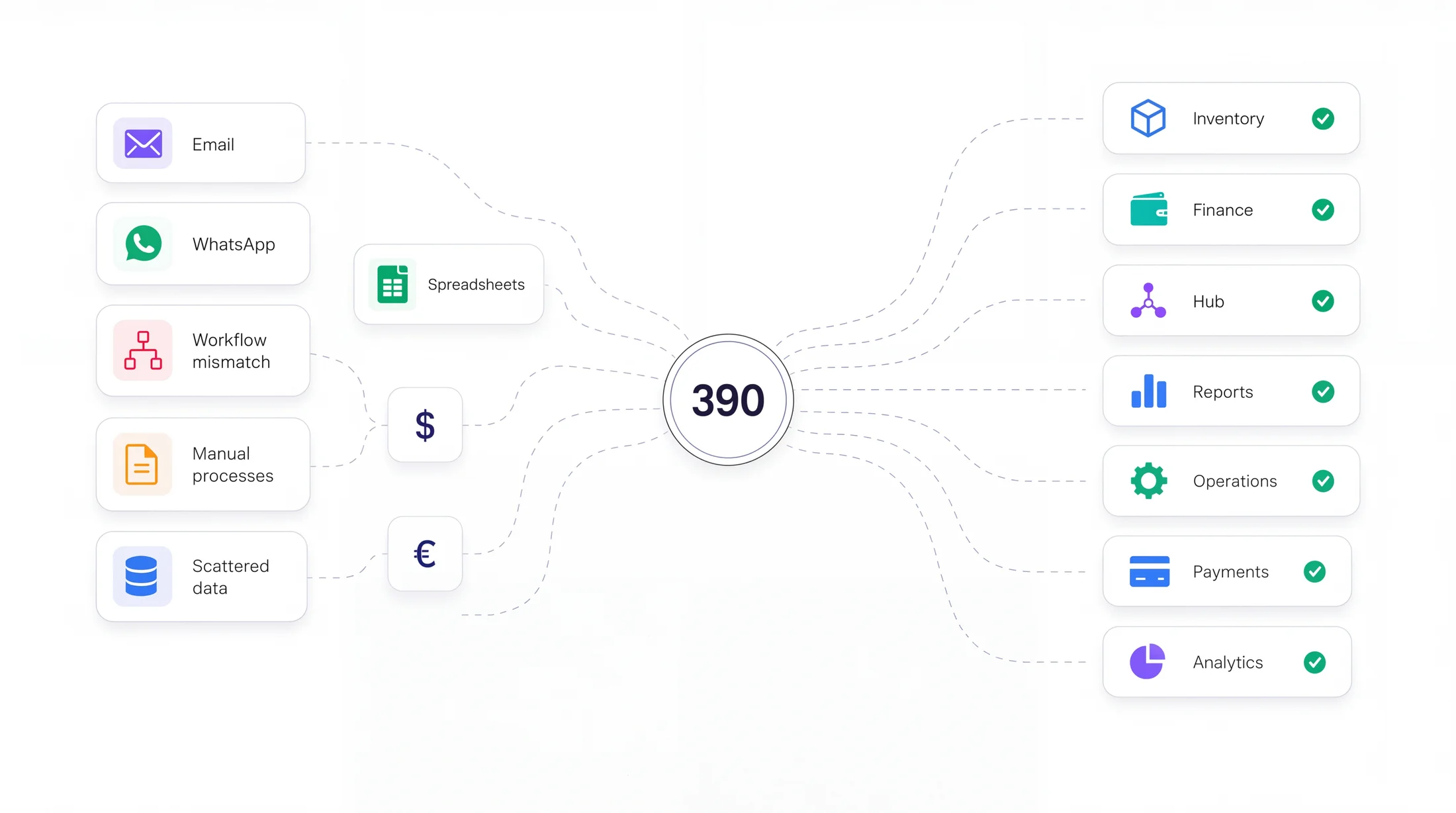
Email, WhatsApp and spreadsheets: manual information sources.

From a customer enquiry to a staff spending request, give each person a clear place to record the work and check its progress.

Record sales, keep customer details and follow up on enquiries and outstanding payments.
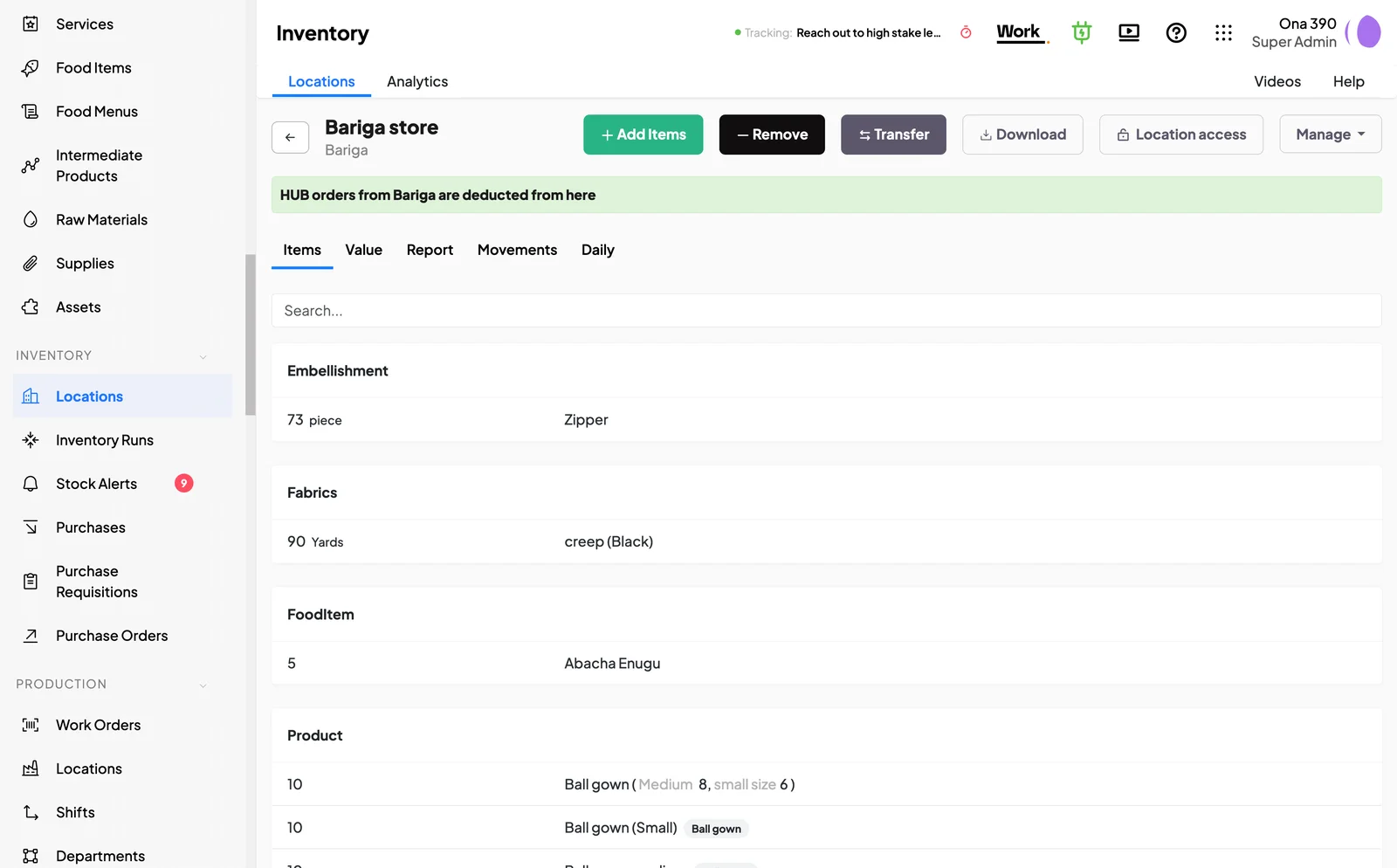
Review purchases, sales and transfers to help explain a stock balance or investigate a difference.
Assign work and follow its progress so each person knows what they need to handle.
Check spending against budgets and see who still needs to account for a staff advance.
Review requests with their supporting records before you approve or query them.
Manage purchasing, production, projects and documents as your business needs them.

Share your HUB link on WhatsApp, social media or your website. Customers can browse your products or services, place an order or book an appointment from the page.
See how 390 HUB worksAdvisory helps you organise how your business runs. Labs builds additional capabilities on 390 Work for requirements beyond the standard setup.
390 Labs works with your team to design and build specialised workflows, integrations and applications on 390 Work. Each engineering engagement is scoped around your requirements.
Find out about 390 Labs390 Advisory helps you define clear responsibilities, approvals and procedures. We agree the implementation work, review progress each month and set priorities each quarter. Training and continued help are scheduled within the agreed scope.
See how Advisory worksSee examples of the work 390 can support in your industry.
Manage sales, stock, customers and purchasing.
Find out moreManage orders, supplies, production and fulfilment.
Find out moreManage enquiries, appointments, jobs and payments.
Find out moreFollow materials, work orders and finished goods.
Find out moreManage appointments, payments and daily administration.
Find out moreManage spending requests, purchases, staff tasks and school administration.
Find out moreManage leads, clients, invoices, customer issues and internal tasks.
Find out more
Find the person handling a task or request when you need an update.

Open the records behind an amount before querying a payment or expense.

Review pending work with your staff and agree what needs to happen next.
Choose the part of your business you want to organise first. Try 390 with your staff, or speak to us if you need help deciding where to begin.
390 Technologies. Become more.